Library
The home page and the sidebar are the library. Movies, series, seasons, and the other types each have their own list. Search on a list looks through that person's entries.
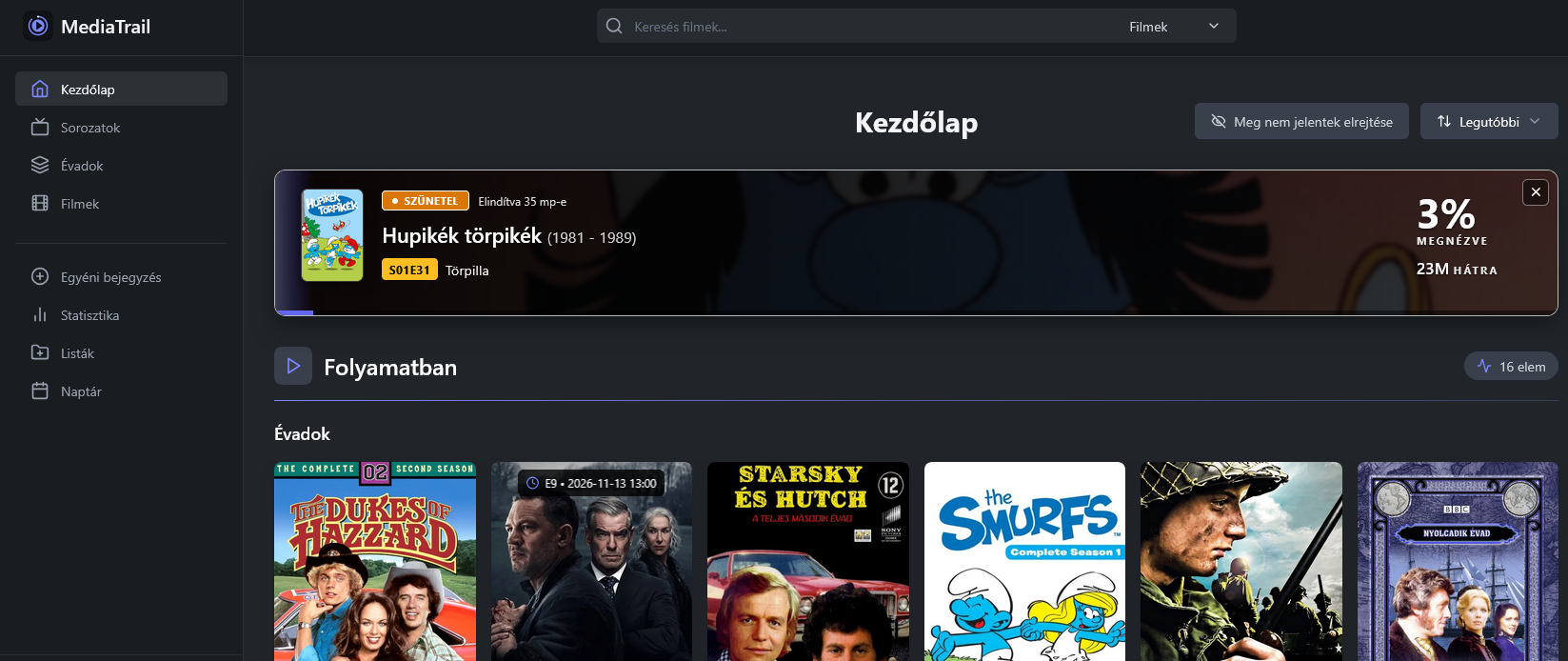
While a title is playing or paused, a Now Watching banner can sit at the top of the home page. It shows the title, the episode, the share already watched, and the time left. The picture is the Hungarian interface.
Opening a title shows the catalog details and the tracking form. Status, score, progress, start and end dates, and a note belong to that entry. Repeating a finished title keeps another pass in the history. A series is a parent: seasons and episodes are separate rows, so marking one episode does not rewrite the whole show.
Language
Preferences has the interface language, English or Hungarian. It is stored on the account. Catalog text from outside services can still arrive in the language those services were asked for. TMDB_LANG is that request language for movie and series metadata. See Runtime.
Custom entries
Some titles are not in the catalogs. Custom entry in the sidebar creates one by hand: type, title, and an optional image address. It then behaves like any other tracked item.
Lists
Lists are collections you name yourself. A list can include mixed types, and you can invite another account on the same MediaTrail to collaborate. The list search and the sort order are on the list page.
Calendar
The calendar collects upcoming releases from the library. The export link on that page is a private address for another calendar application. It contains your personal token. If you regenerate the token under Settings, the old link stops working, and so do the player webhooks that use the same token.
Statistics
Statistics summarizes statuses, activity, and the range you pick, from today back to the whole history. The labels follow the interface language.
Notifications
Settings, then Notifications, takes one Apprise address per line. Release reminders and the daily digest go out through those addresses. The in-page help names the address shapes Apprise accepts.